Clefwing

Your child plays the piano. Their dragon listens.

A note-reading game that hears your real piano. A note appears, your child plays the key, and it turns green. Five minutes a day, and reading music becomes automatic.

Units 1 to 3 are free, in the browser now and in the app for iPad and iPhone. Any acoustic or digital piano.

  • No ads
  • No accounts
  • No data collected
  • Works offline
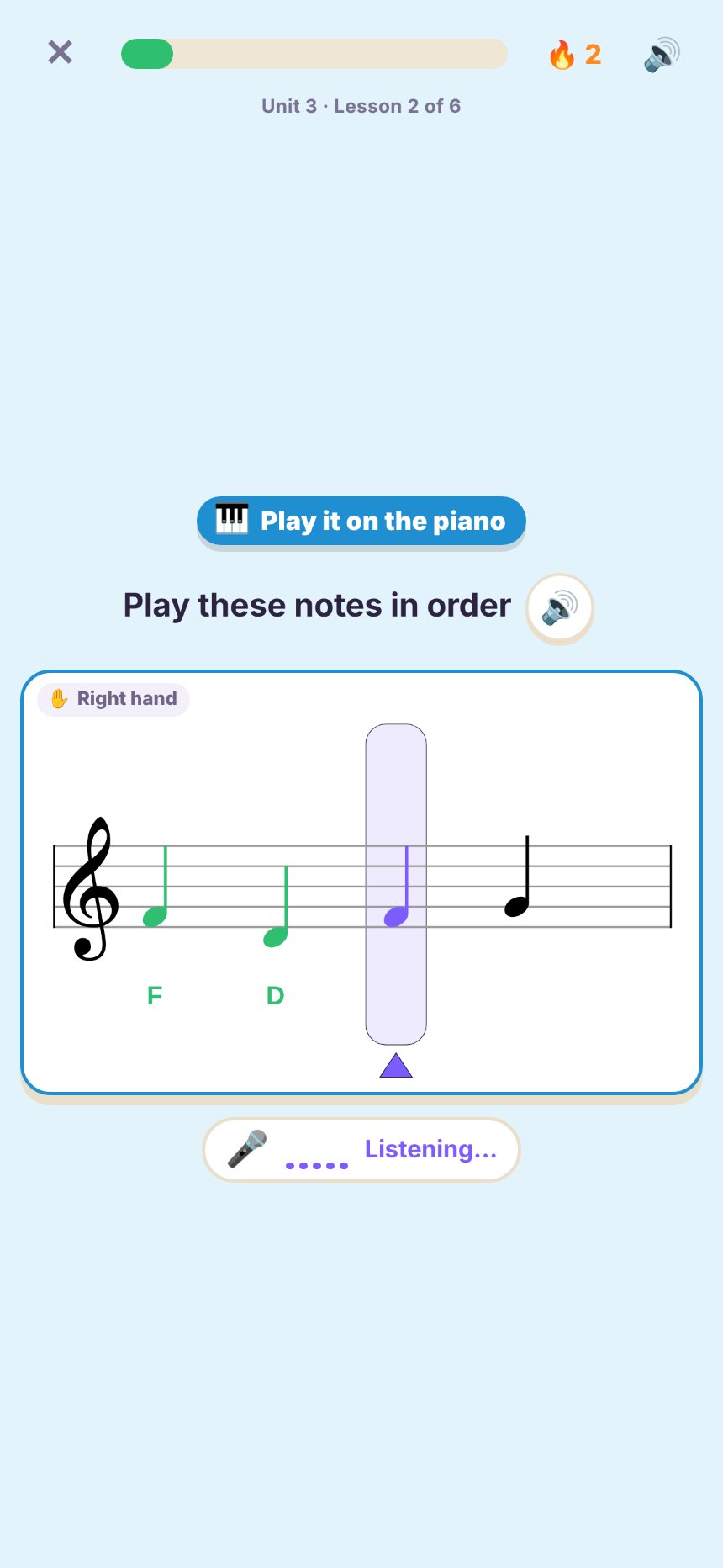
Clefwing on an iPhone: a run of notes on the staff, the first two played and turned green, the microphone listening

How it works

No cables, no MIDI, no special piano. Any acoustic or digital piano works.

1

Stand the iPad or iPhone on the music stand

Clefwing listens through the device's microphone, right where the music would be.

2

Read the note, play the key

Short lessons of quick questions: name the note, play it, then play runs of notes and chords.

3

The dragon hears it

Right notes turn green straight away. A wrong note shows faintly on the staff, so your child sees how far off it was.

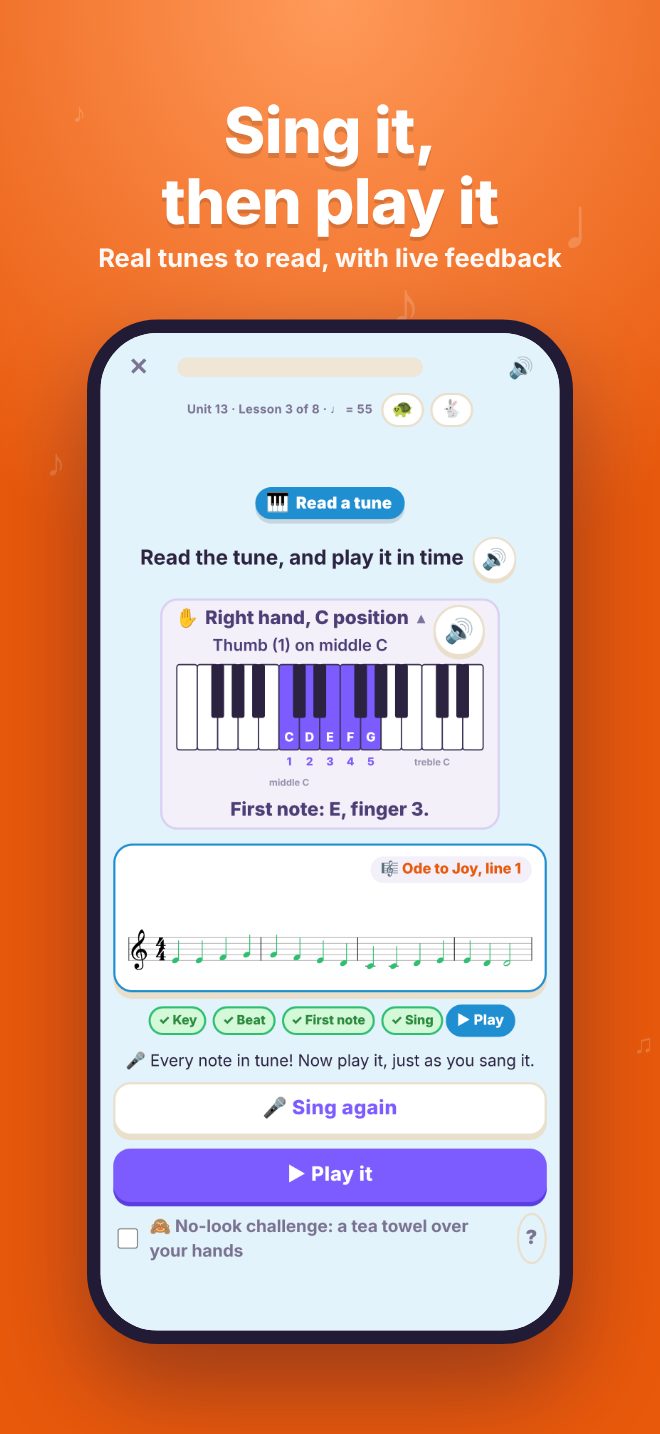
Read a Tune: a four-bar tune sung in tune, with the look-first checklist ticked off
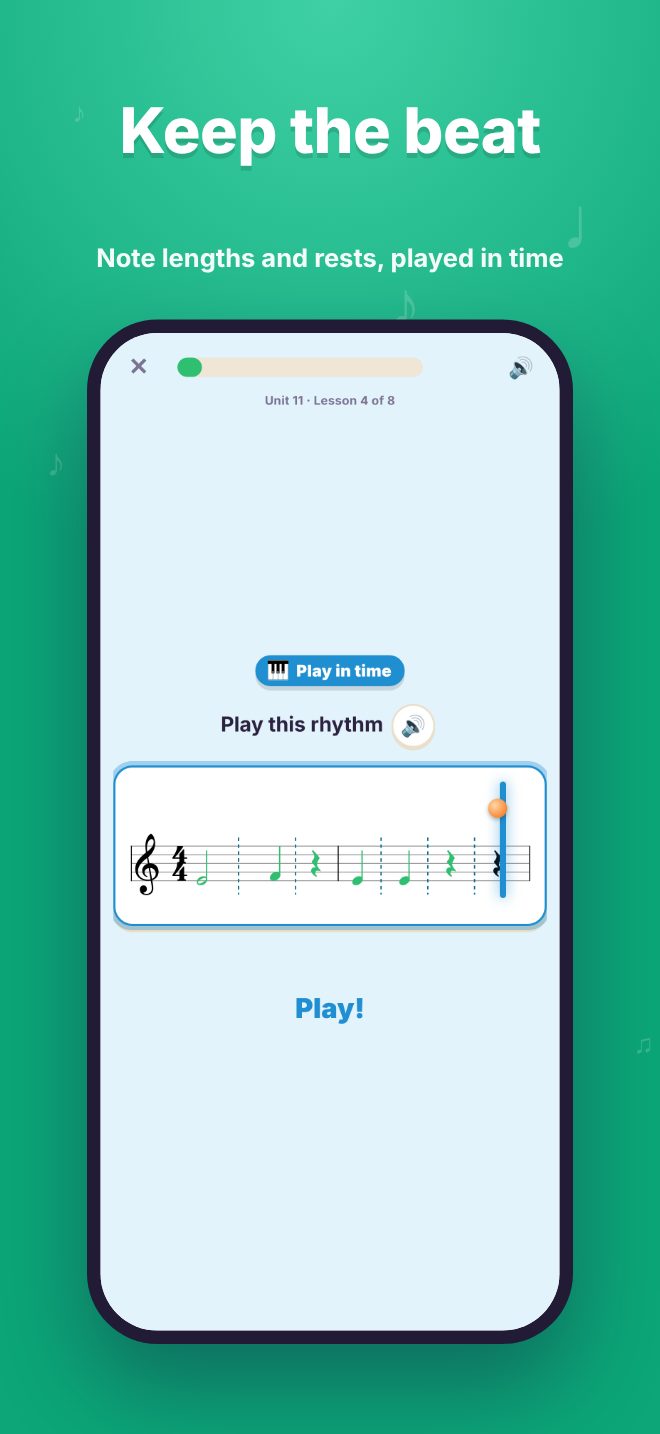
Keep the Beat: notes and rests turning green as they're played in time
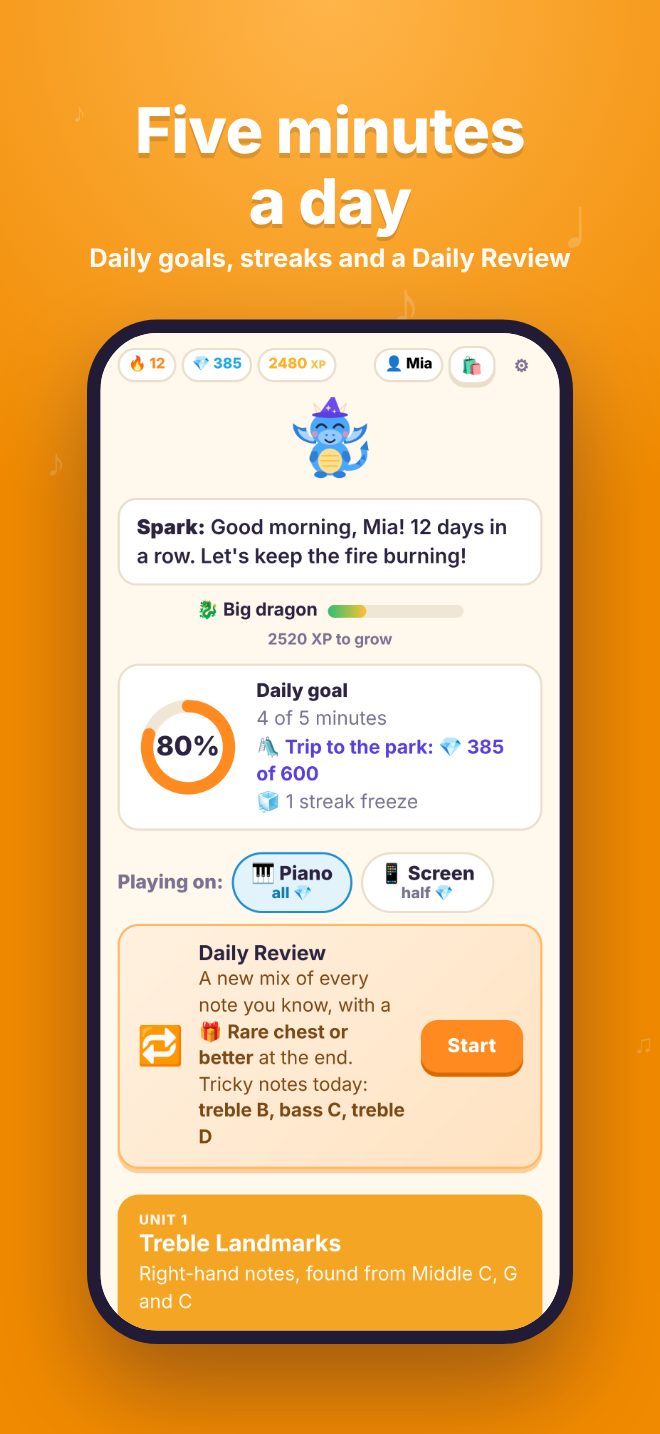
Home screen with a 12-day streak, a five-minute daily goal, the prize being saved for and a Daily Review
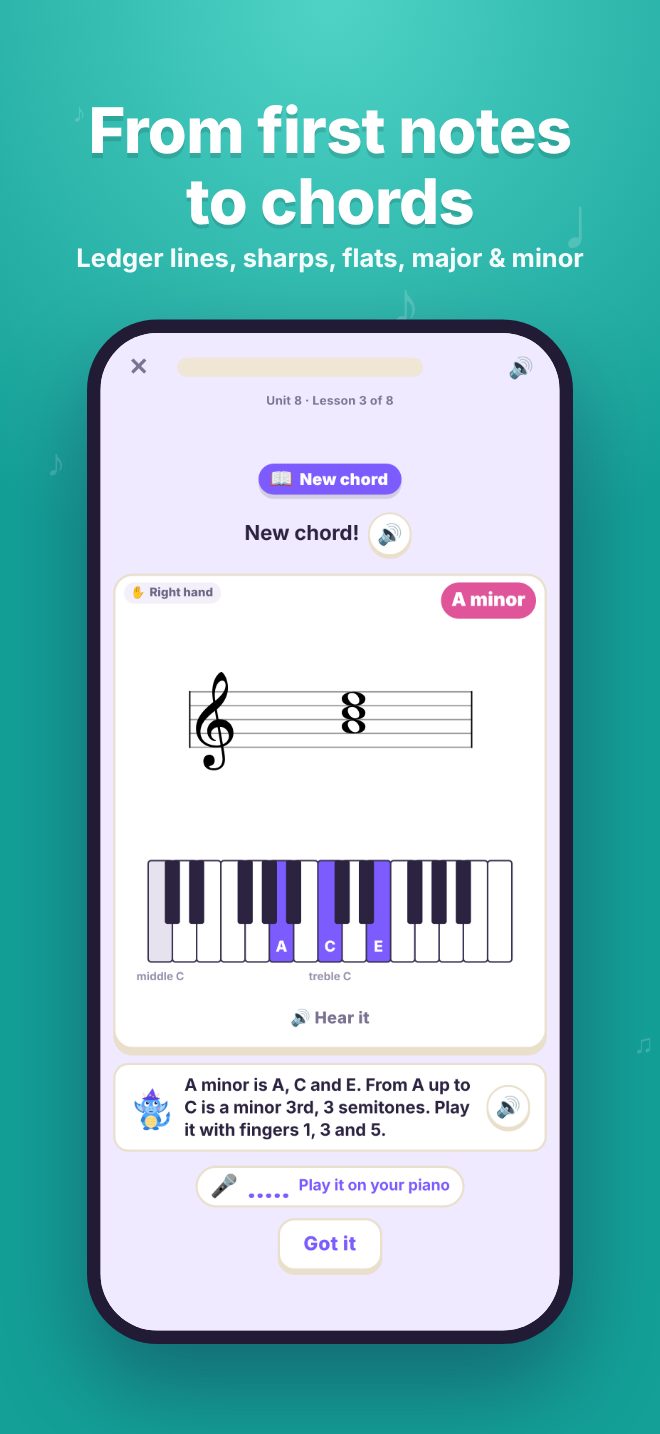
Meeting the A minor chord, shown on the staff and on piano keys
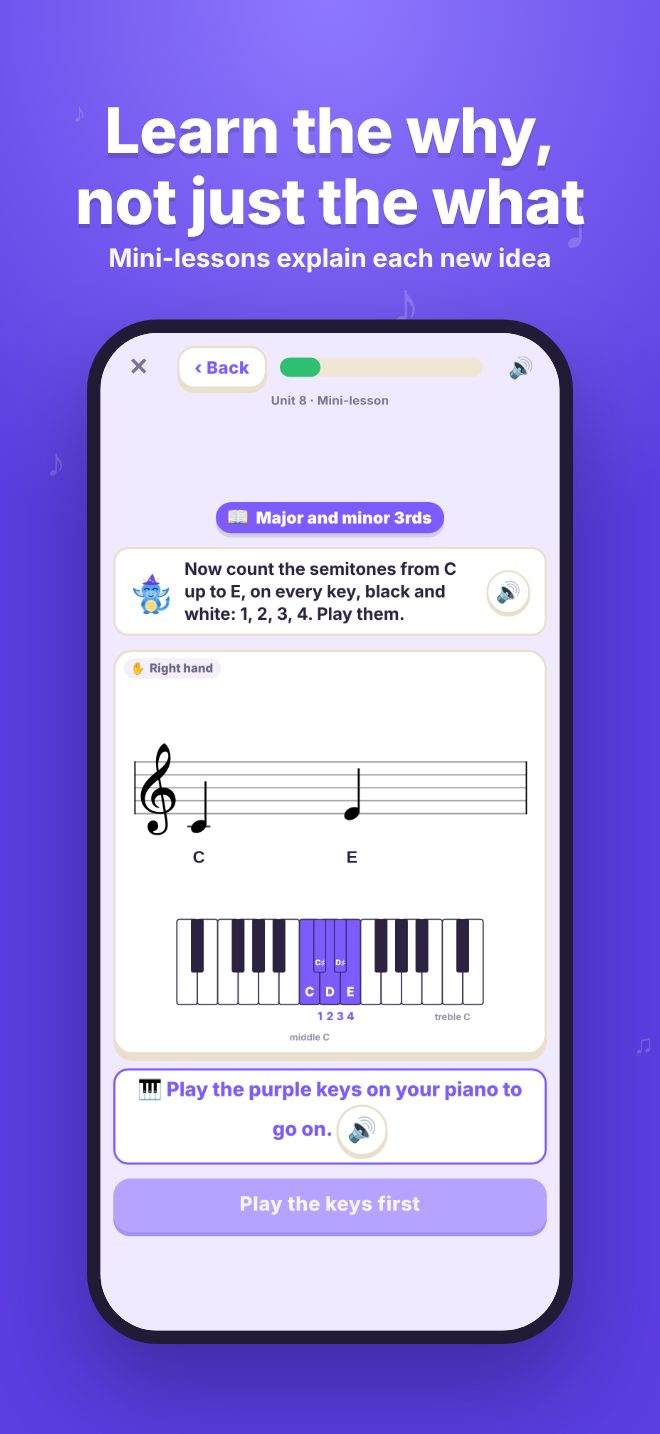
A mini-lesson counting the semitones in a major 3rd
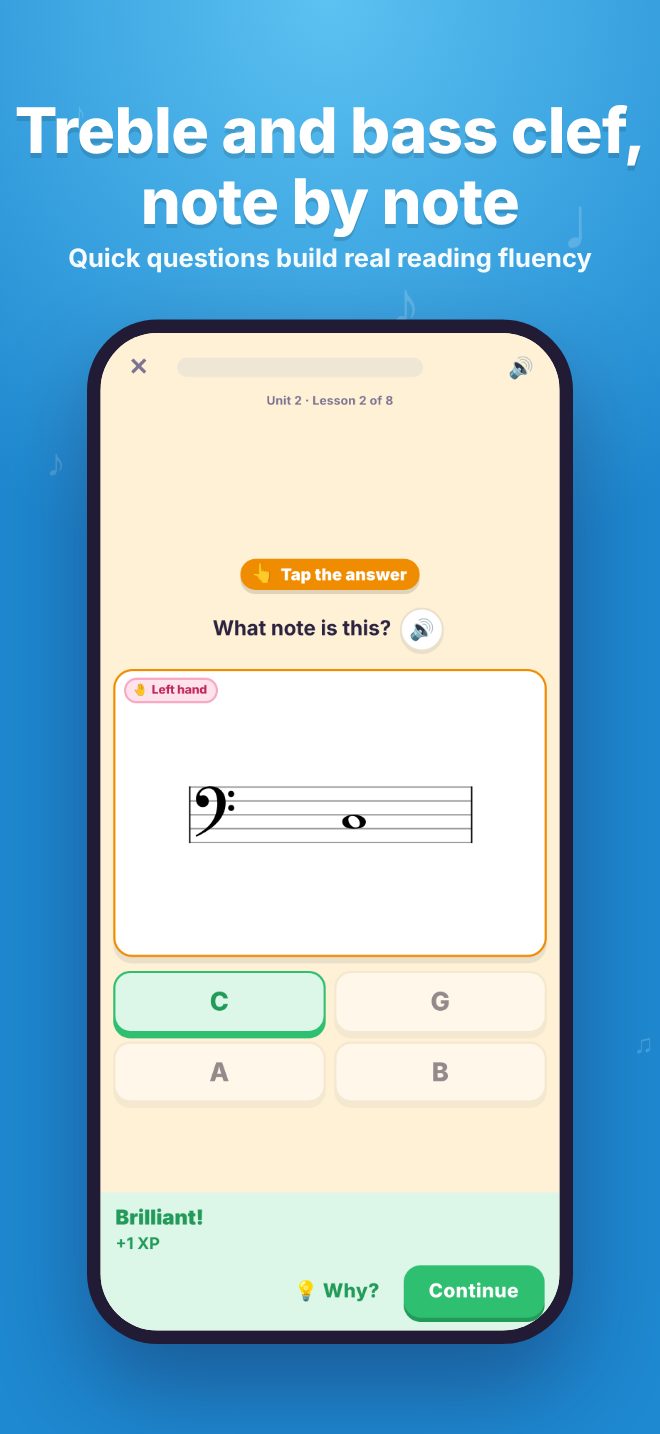
Naming a note in the bass clef
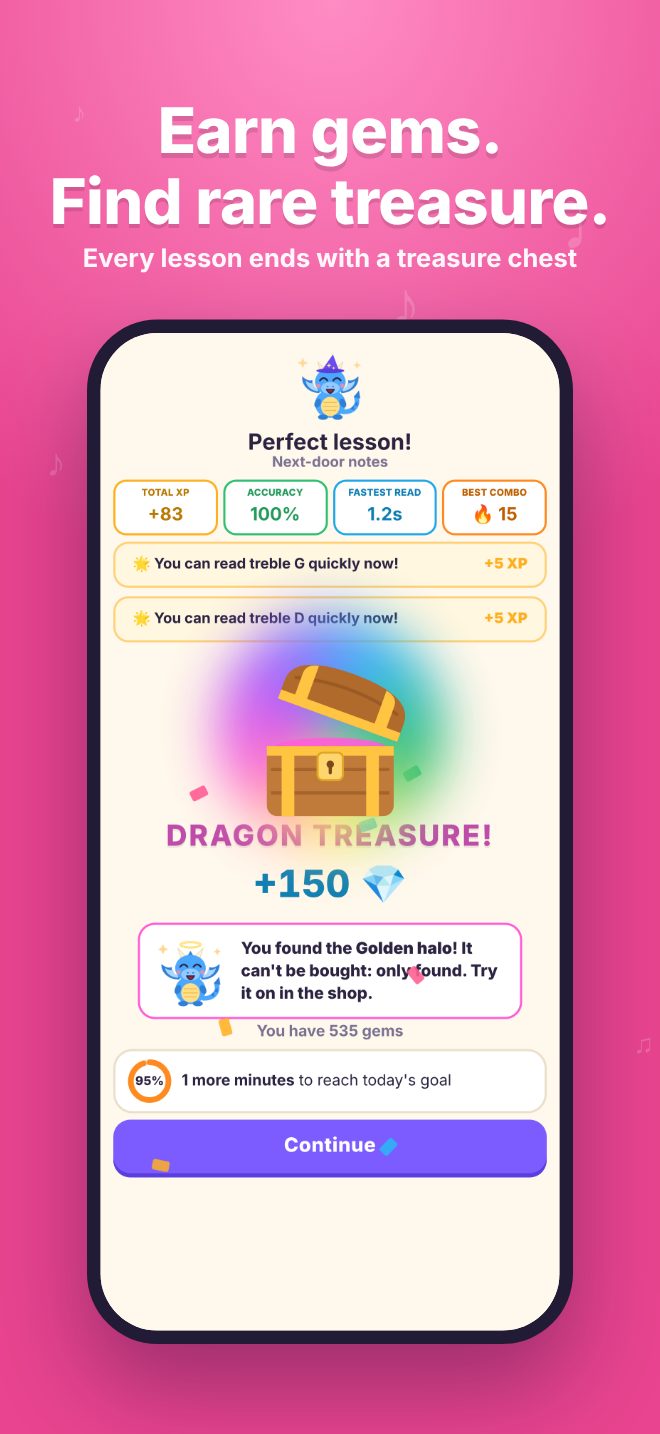
A treasure chest at the end of a perfect lesson
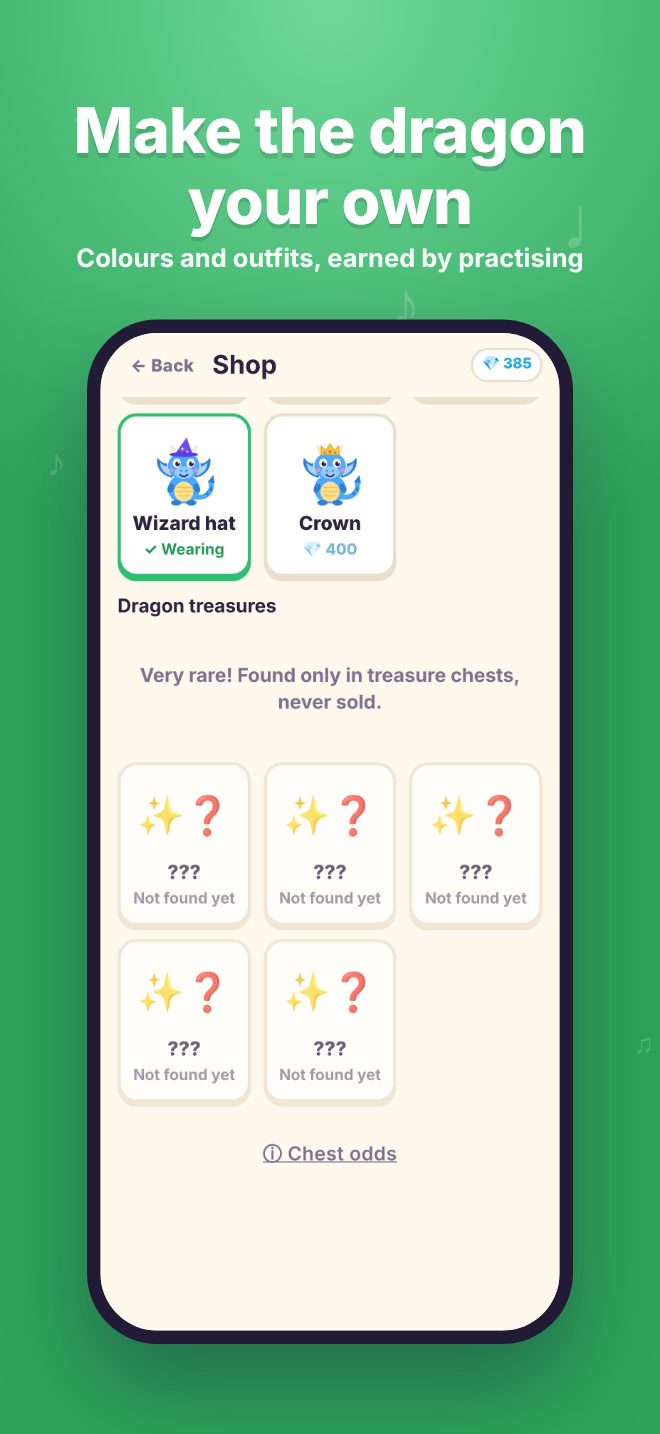
The shop, with dragon colours and outfits earned by practising

Swipe for more →

What your child learns

Thirteen units, with 94 lessons and 47 short mini-lessons, for beginners through to about Grade 3. It works well alongside AMEB and other grade-exam piano lessons.

  • Treble and bass clef notes, found from landmark notes like middle C
  • Both hands on the grand staff, and ledger lines above and below
  • Steps, skips and leaps: reading the jump between notes
  • Semitones and tones, sharps, flats and naturals
  • Major and minor chords, and why they sound happy or sad
  • Key signatures: G, F and D major
  • Hand positions and finger numbers, so eyes can stay on the music
  • Rhythm: keeping the beat, note lengths, rests and time signatures, played in time with a click
  • Reading ahead: notes that disappear as you play, look-and-play patterns, and a scrolling reader
  • Reading a real piece: Ode to Joy, a few bars at a time, sung first and then played, up to both hands

A Daily Review brings back the notes they find hardest, and lessons get longer runs of notes as their reading gets faster.

For grown-ups

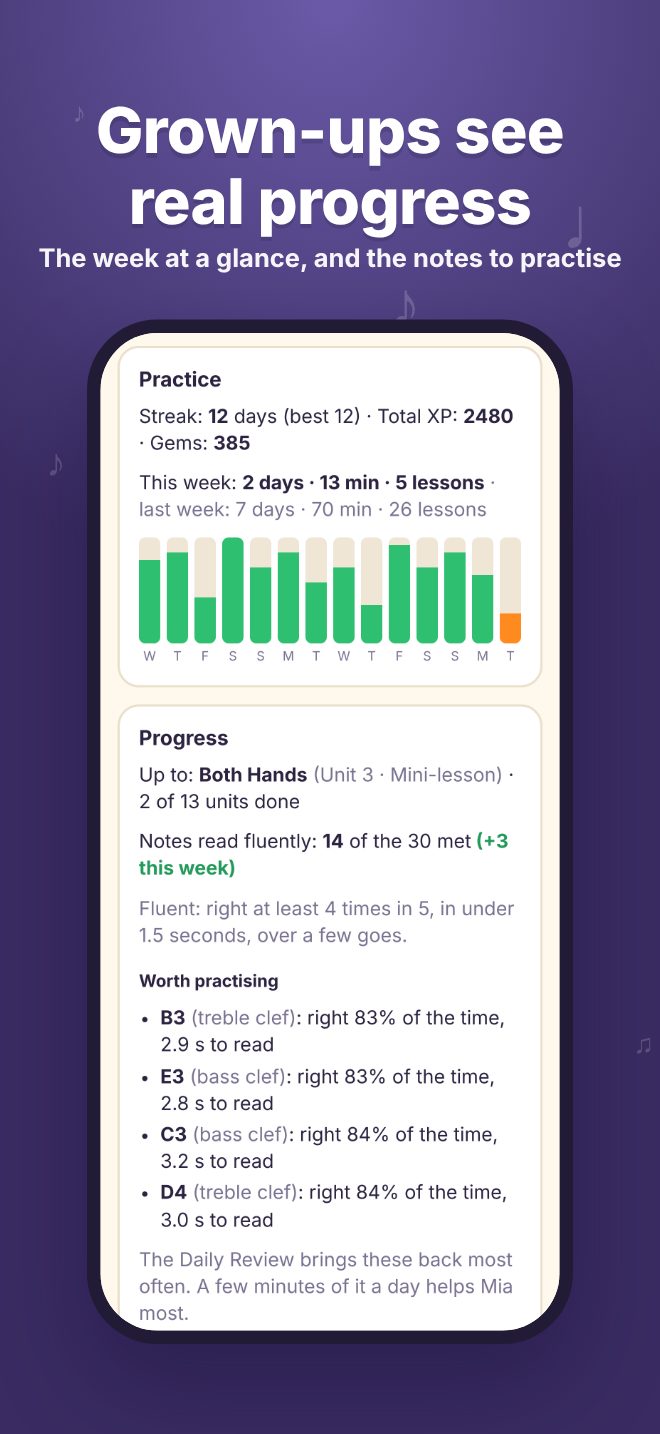
  • See practice time for every day, how many notes are read fluently (and the change each week), and the few notes worth practising
  • Set a daily goal and a practice reminder
  • Add real-life prizes, like choosing Friday dinner, for gems to be spent on
  • A separate player for each child, each with their own dragon and progress
  • The Grown-ups area sits behind a quick times-table question
  • No piano nearby? An on-screen keyboard works too, for half the gems
The Grown-ups area: this week's practice, a practice chart, notes read fluently and the notes to practise

Start free. Stay if it clicks.

The first three units are free for good. The full course opens Units 4 to 13, for every child on your device.

Free

$0

No time limit

  • Units 1 to 3: treble clef, bass clef and both hands
  • The Daily Review
  • A taste of the full course: playing in time with a click, and singing then playing a real tune
▶ Play free now
7 days free

Full course, yearly

US$24.99

a year, after a free week

  • All 13 units, 94 lessons and 47 mini-lessons
  • Every child on the device, and your Family Sharing group
  • Cancel any time in the App Store

Full course, lifetime

US$59.99

once, for good

  • Everything in the yearly plan
  • Pay once, no subscription
  • Shared with your family too

Prices are in US dollars: the App Store shows them in your own currency. The full course is bought in the iPad and iPhone app, behind a grown-ups' check.

For piano teachers

Five minutes a day of note reading at the piano, between lessons, so lesson time can go on the music.

  • Students play every answer on their real piano at home, so reading turns straight into the right key, not a tap on a screen
  • Follows the usual path from the first notes to about Grade 3: landmark notes, both clefs, ledger lines, hand positions, sharps and flats, key signatures, chords, rhythm and reading ahead
  • Short daily lessons and a Daily Review that keeps bringing back each student's hardest notes
  • Parents see how many notes their child reads fluently, and which ones to practise, so they can show you
  • Safe to recommend: no ads, no accounts, no chat, and nothing about the child is collected

Try it yourself, free.

The first three units are free in the app, and you can play them in a web browser right now.

Are you a piano teacher? Email us for a free code that opens the full course on your own device, so you can see all thirteen units before recommending it.

[email protected]

Questions

Does it work with a digital piano or keyboard?

Yes. Clefwing listens through the device's microphone, so any acoustic piano, digital piano or keyboard works, with no cables. On a digital piano, play through its speakers, not headphones.

Who is it for?

Young pianists from their very first notes to about Grade 3. Read-aloud explains each question for younger players, and grown-ups can follow along. It works alongside lessons with a teacher, or on its own.

Where should the iPad or iPhone go?

On the music stand, close to the keys, with nothing covering the microphone. A quiet room helps: a TV or other music playing nearby can get in the way.

What if there's no piano nearby?

An on-screen keyboard works too, for practice away from the piano. It earns half the gems, so the real piano stays the best way to play.

Can brothers and sisters share it?

Yes. Each child gets their own player, dragon and progress on the same device, and one purchase covers them all. Family Sharing shares it with your family's other devices too.

Does it need an account or the internet?

No account, ever. Lessons work offline, and progress is saved on the device with a backup in your own iCloud. Nothing about your child is collected.

Is there an Android version?

Not yet. The app is for iPad and iPhone, and the free units also play in a web browser on a computer or tablet with a microphone.
Privacy

Clefwing collects no personal information.

  • Progress stays on your device, with a backup in your own iCloud. It is never sent to us.
  • The microphone only listens for piano notes during lessons. Nothing is recorded, saved or sent anywhere.
  • No ads, no analytics, no tracking, no accounts and no chat.
  • Gems are earned by practising only and can't be bought. The full course is bought through Apple, behind a grown-ups' check.

Read the full privacy policy.

Help and contact

Questions, ideas, or Clefwing can't hear your piano? Email us. We read every message and usually reply within a few days.

[email protected]

Tips for getting Clefwing to hear your piano, and answers to common questions, are on the help page.

Five minutes at the piano, starting today

Open it in a browser, put it on the music stand, and play the first note.

▶ Play free in your browser